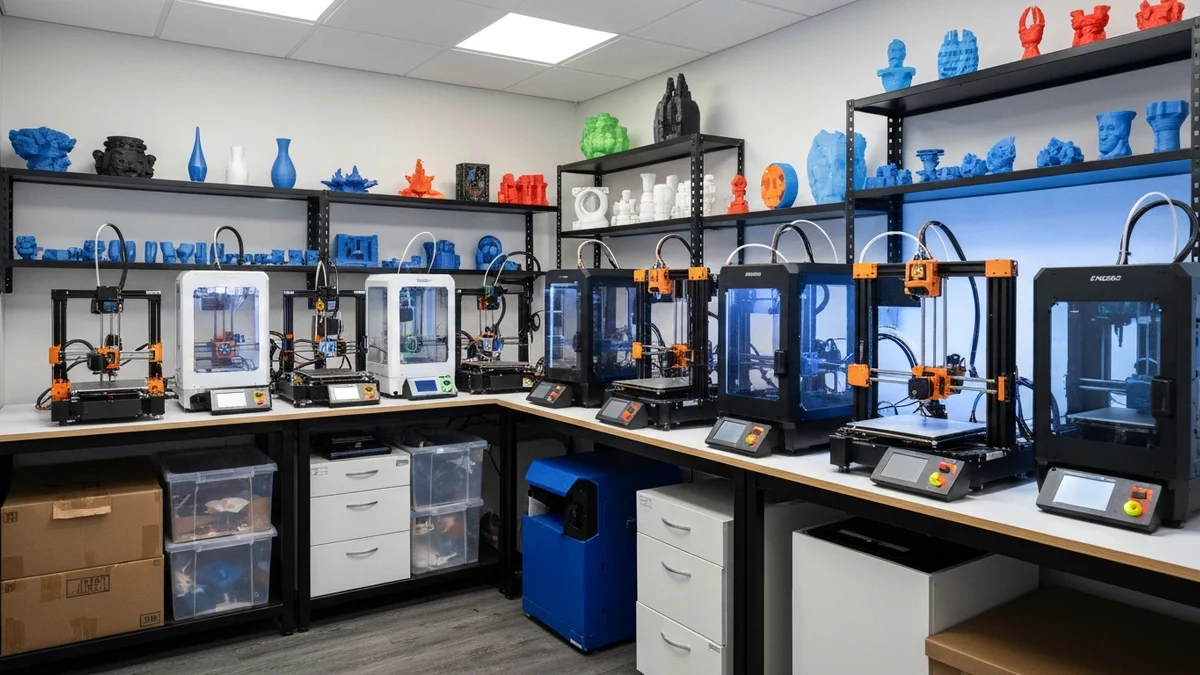
Two platforms dominate different ends of the 3D printing business: Shopify handles the storefront, and SimplyPrint handles the print farm. Each one is excellent at its job. The challenge has always been the gap between them — the moment when a customer's paid order needs to become a production job. For years, that gap was bridged by a person sitting at a desk, copying information from one screen to another. It does not need to be.
Why Shopify Works for a 3D Printing Business
Shopify is the most practical choice for selling physical 3D-printed products, and not just because of name recognition. It handles the entire customer-facing operation: product listings with variant options (color, size, material), payment processing, shipping rates, tax calculations, and customer communication. Its app ecosystem means you can add review systems, loyalty programs, and email marketing without building anything from scratch.
For 3D printing businesses specifically, Shopify's variant system is particularly valuable. A single product like a desk organizer might come in three sizes and six colors. Shopify lets you list all eighteen combinations under one product, each with its own SKU, price, and inventory count. Customers get a clean browsing experience; you get organized data on the back end.
Why SimplyPrint Is Built for Production
SimplyPrint is purpose-built for managing 3D printer fleets. It provides a central queue where all pending print jobs are visible at once, real-time monitoring of every printer's status, remote control capabilities, and detailed print history. For a business running more than two or three printers, trying to manage production without dedicated farm management software is a recipe for chaos — missed jobs, idle printers, and no visibility into what shipped when.
SimplyPrint also handles the practical details of print management: assigning jobs to specific printer groups based on material or capability, tracking filament usage, and flagging failed prints. These are the operational details that determine whether a print farm runs profitably or constantly firefights.
The Missing Link: Order-to-Print Automation
Both platforms are excellent. The problem is that without an integration, someone has to manually move information between them. An order comes in on Shopify — let's say a customer buys a dragon figurine in red. A person needs to open SimplyPrint, find the red dragon file, create a new print job, set the quantity, assign a printer, and save. Then repeat for the next order. And the one after that.
This manual handoff is the single biggest operational bottleneck for Shopify 3D printing businesses. It does not require skill or judgment — it is pure data entry. And it scales terribly. At ten orders a day, it consumes most of a morning. At fifty orders a day, it becomes a full-time job.
SimplyPrintSync eliminates this bottleneck by automating the entire handoff. When an order is paid in Shopify, SimplyPrintSync automatically creates the corresponding print job in SimplyPrint. No human in the loop.
A Real Workflow Example
Here is how the complete workflow looks in practice for a shop selling decorative figurines:
- A customer finds your Shopify store and orders a Dragon Figurine in Red, quantity two.
- Shopify processes the payment and sends an order-paid webhook to SimplyPrintSync.
- SimplyPrintSync looks up the "Dragon Figurine — Red" variant in its product mappings and finds it is linked to the red-dragon.3mf file in SimplyPrint, with a yield of one per run and a printer group of "FDM Standard."
- SimplyPrintSync calls the SimplyPrint API and creates two print jobs — one for each unit — with the correct file attached and the correct printer group assigned.
- Your print operators see the jobs appear in the SimplyPrint queue. They confirm, the printer starts, and two dragon figurines are produced.
- You pack the finished prints and mark the order as fulfilled in Shopify. The customer receives a shipping confirmation automatically.
The only steps that required a human were the ones that genuinely need human judgment: quality inspection and packing. Everything else was automated.
Scaling Your Business with Automation
One of the compounding benefits of automation is that it breaks the direct link between order volume and administrative overhead. Without automation, doubling your orders roughly doubles your administrative work. With automation, doubling your orders means the same zero minutes spent on job creation — the automation scales with you for free.
For businesses growing past a hundred orders per month, SimplyPrintSync's Professional plan ($20/month) provides unlimited print job creations. At that volume, the subscription pays for itself within the first few hours of the first week. The Free plan (10 prints/month) lets you test the complete workflow before spending a cent, and the Basic plan ($5/month) covers most small shops comfortably. All plans include a 30-day free trial.